The best browser automation platform, visualised
Playwright-grade deterministic automation with none of the pain — on a canvas you shape, with selectors that don't break, running on your Chrome or our cloud fleet. And the canvas holds more than browser steps: 3,000+ app integrations and an AI browser agent, as nodes in the same flow.
A canvas that's yours
If you're going to live in a builder, it shouldn't be a dreary, locked-in canvas. Build vertically, horizontally, or in a grid — recommended for seeing long flows on one screen. Change backgrounds, canvas style, and how your nodes look.
Selectors, solved
Launch the selector picker, click the element you want, and a heuristic ranking system hands you the best selectors — ranked. Define the fallback order yourself. And if every selector fails? The step falls back to an AI agent that acts from natural language.
Click an element; get ranked, resilient selectors.
You decide the order each selector is attempted in.
Natural-language action when the DOM lets you down.
Record your browsing, get a workflow
Launch the recorder and just do the task once. Every action you take is captured as nodes on the canvas — ready to edit, harden with fallbacks, and schedule. Or start from nothing: the AI Builder writes and edits automations from natural-language instructions.
Browse normally; nodes appear as you go.
Build new automations from scratch — or edit existing ones — by describing them.
Import your existing Playwright scripts; export any workflow to code.
Build or edit with AI
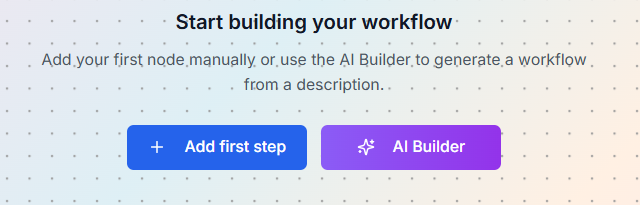
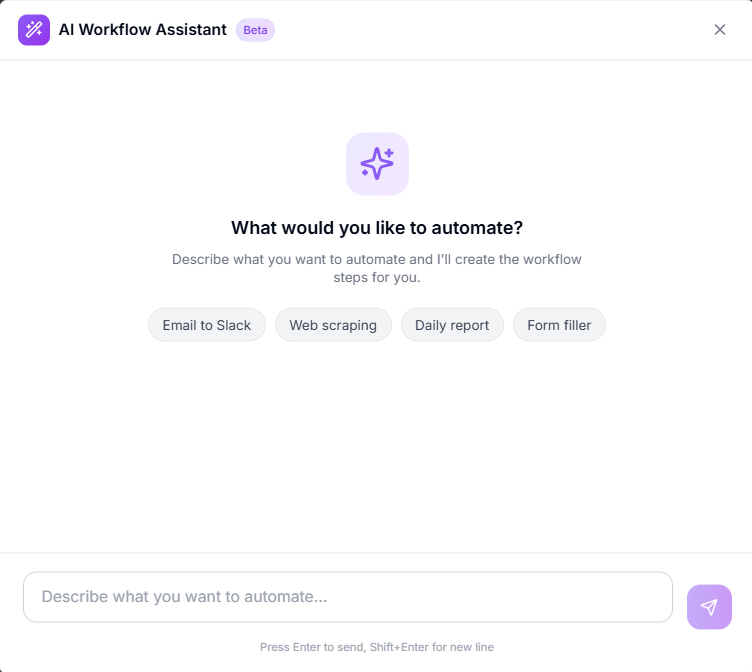
Describe what you want to automate — the AI Builder generates the workflow steps for you, or edits an existing flow in place. Start from the canvas's “Use AI Builder” tile or the AI Builder button in the toolbar.
“Email to Slack”, “web scraping”, “daily report” — a full flow in seconds.
Ask for changes; the Builder rewires nodes, selectors and variables.
Your Chrome, or our cloud fleet
Execute over your local Chrome profile — logins and cookies never leave your machine — via our desktop app and extension. Or run on the cloud browser fleet: persistent logins, separate profiles, proxy to any major country, captcha solving built in.
Already signed in stays signed in — locally.
Persistent profiles, geo proxies, captcha solving, scheduling.
Full recordings whether local or cloud.
3,000+ apps on the same canvas
Browser steps are rarely the whole job — what you extract has to land somewhere. Connect Hub drops 3,000+ app actions straight into any workflow, right next to your browser nodes: Gmail, Sheets, Slack, Notion, HubSpot and more. One canvas for browser and API steps, with variables flowing between them.
Every major app's actions as nodes, placed beside your browser steps.
API keys or OAuth stored once in Connect Hub, reused across every workflow.
Extract in the browser, then file, message or update through any API — no hand-offs between tools.














An AI browser agent as a node
The Prompteryx Browser Agent drops into a workflow as a node. Keep deterministic steps for the parts that are stable, hand the messy part — a layout that shifts, a judgment call — to the agent in plain English, then return to deterministic steps. A builder with a real browser agent in the middle of the flow: nobody else has this.
“Check if it's in stock and a good deal” — one node, right in the sequence.
Stable parts stay exact and repeatable; the agent handles only the messy middle.
Agent steps record their actions for deterministic, zero-token re-use.


Built for the long run
Execution history & logs
Every run kept, with variable logs node by node.
Edit history & revert
Full version history — roll back to any earlier state.
Share with anyone
Hand automations to anyone in the world, with varying access levels.
Scheduling built in
Cron-style schedules and trigger nodes that run when criteria are met.
3,000+ connector actions
Connect Hub credentials put every major app inside the same flow.
Video recording
Watch exactly what happened on any run, local or cloud.
Build your first workflow in minutes
Record it, describe it to the AI Builder, or import your Playwright script.
Join the waitlist