End-to-End Testing & Uptime Monitoring
Check that your critical flows actually work — sign-up, checkout, login — on a schedule, with assertions that fail loudly and a video of every check.
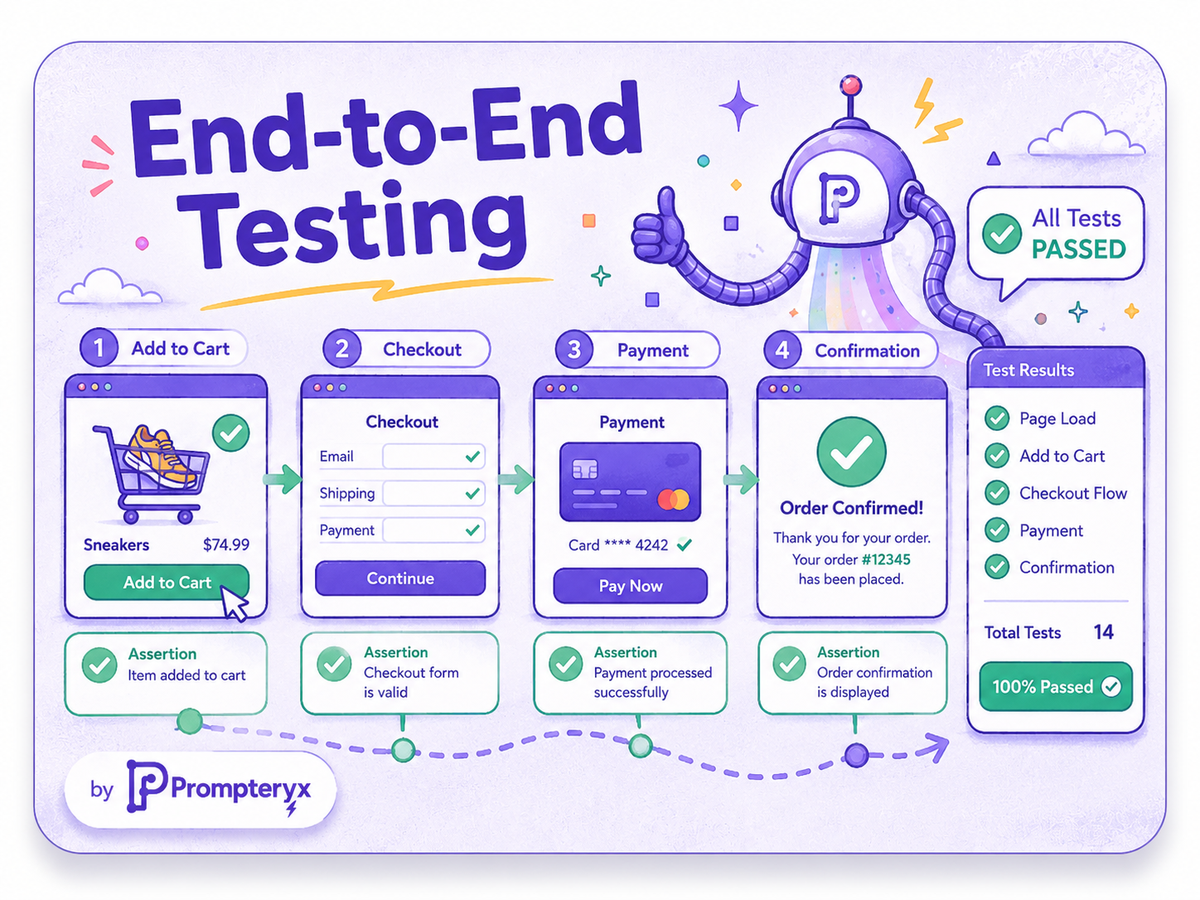
Your most important flows — signing up, checking out, logging in — are exactly the ones that break silently after a deploy or a third-party change. Prompteryx lets you script those journeys without code, assert that each step does what it should, and run them continuously as synthetic monitors.
When something fails, you don't get a cryptic stack trace — you get an alert and a video of the exact moment it broke. It's end-to-end testing and uptime monitoring in one, built on the same real-browser engine as the rest of the platform.
The problem
Critical user journeys break between releases and from third-party changes, and traditional test frameworks need engineering time to write and maintain — so the flows that matter most often go unmonitored.
How it works in Prompteryx
Build the flow visually or record it once — open the app, log in, add to cart, check out — as a reusable workflow.
Assert that elements are visible, enabled, contain the right text or value at each step, so the test fails when reality doesn't match.
Execute every few minutes or after each deploy as a synthetic monitor — server-side, around the clock.
If an assertion fails, send a Slack or email alert immediately, with the failing step and a link to the recording.
Every run is recorded as video with a step log, so you see exactly where and how a flow broke.
Start from a working workflow
Validate Element States
Check visibility, enabled/disabled, editability and text/value matching with assertion nodes at each step.
Assert Element Properties
A full suite of assertion nodes for automated validation of state, content and attributes across a journey.
See it in Prompteryx

Why Prompteryx for this
Assertion nodes, no code
A full library of assert-visible / -enabled / -text / -value / -attribute nodes lets non-engineers build real, failing tests on a canvas.
Video evidence of failures
Every run is recorded, so a failed check comes with a video of the exact moment it broke — not just a log line.
Scheduled synthetic monitoring
Run flows every few minutes around the clock as real-user monitoring, server-side, with no machine left on.
Instant failure alerts
Route failures to Slack, email or PagerDuty-style tools via the integration hub the moment they happen.
Real-life examples
Run the full add-to-cart-and-checkout flow every 15 minutes and alert the team with a recording if any step fails.
Verify that login (including SSO) succeeds across environments after every deploy.
Continuously confirm a new user can register and reach the dashboard, catching regressions before customers do.
Frequently asked questions
Do I need to know a test framework?
No. You build the journey visually or by recording it, then drop in assertion nodes — no Playwright or Cypress code required, though raw scripts are available if you want them.
Can it act as uptime/synthetic monitoring?
Yes. Schedule the test to run every few minutes as a synthetic monitor; if an assertion fails you get an immediate alert with a recording of the failure.
What do I get when a test fails?
An alert pointing to the exact failing step, plus a full video recording and step-by-step log of the run, so diagnosis takes seconds rather than guesswork.