AI Browser Agent
AI-PoweredAn AI browsing copilot with computer vision that runs on our Cloud Browser or in your own Chrome
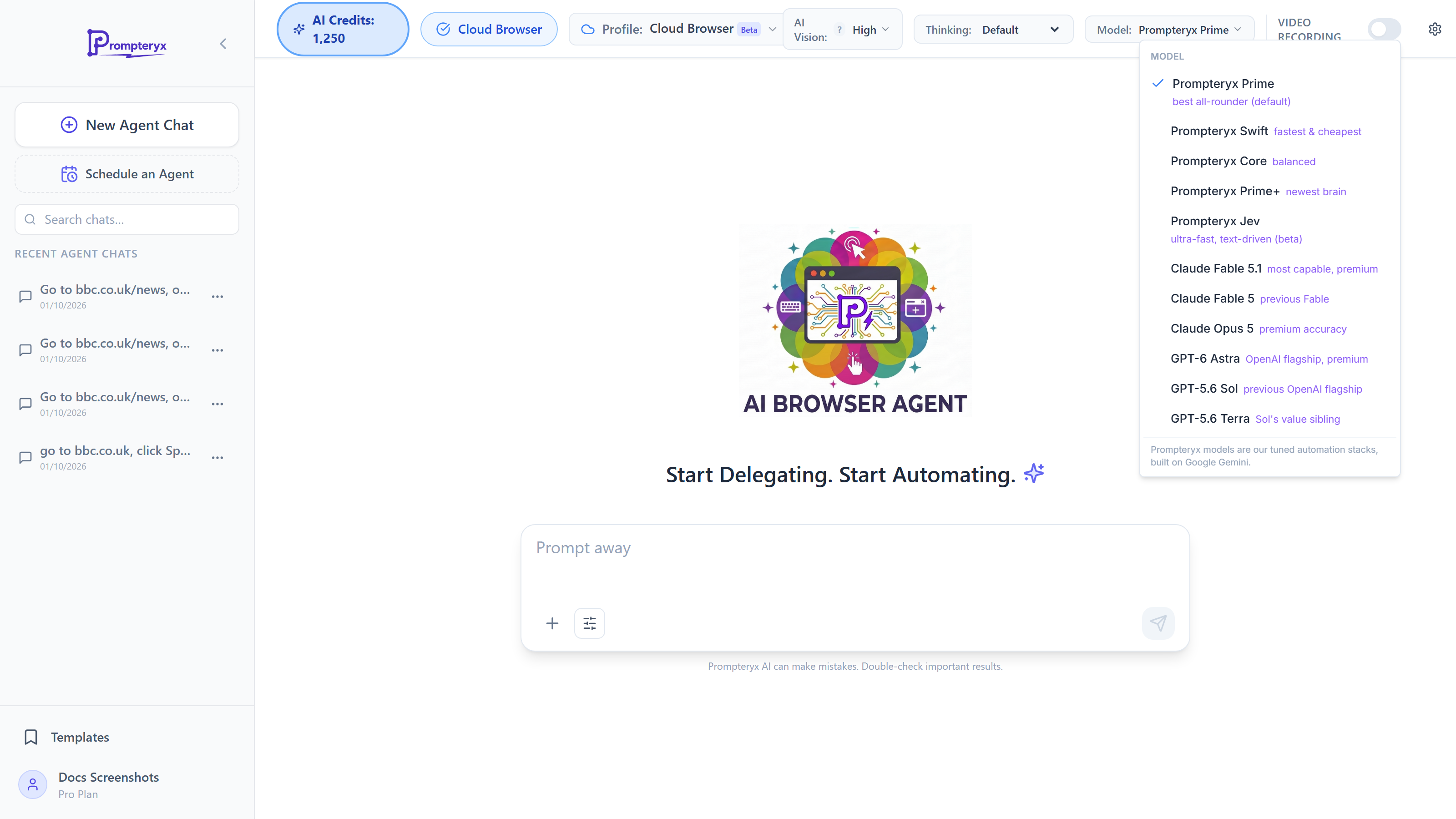
Now in the main chat. You can run the AI Browser Agent straight from the app's home: choose AI Browser Agent under the message box, or just ask for something that needs a website. Runs end with an outcome card with Try again and Try with another model. See AI Browser Agent in the chat. The full-page agent described here still works, with the same settings.

AI-Powered Browser Automation
Just prompt it and watch it navigate, click, type, extract, and complete tasks across the web—then convert the run into a reusable workflow.
AI Credits Required
The AI Browser Agent uses AI credits for each action. Credits are consumed based on the complexity of the task and the AI model used. The "AI Credits" pill in the page header shows your balance, and Settings → Usage shows what you've used this month.
Key Features
Natural Language Commands
Delegate multi-step web work with plain English prompts. The agent understands context and handles real sites, forms, and complex flows.
Computer Vision
Uses AI vision to "see" the page and interact with elements visually. No need for CSS selectors - the agent finds elements by what they look like.
Live Transparent Execution
Watch the agent work in real time in the live view beside the chat. See exactly what it's doing step-by-step as it navigates.
Convert to Workflows
Turn the agent's actions into a node-based workflow automatically. Refine each step for reliability, then run without AI costs.
Video Recording
Optionally record the entire session for a complete visual trail of every action taken. Great for debugging and auditing.
Stop or Take Over
Stop the agent instantly (the Stop button or Esc) whenever you need to intervene. The browser stays open, so a follow-up message corrects direction. You're always in control.
Quick Navigation
When to Use AI Browser Agent
✓ Best For
- • One-off complex tasks you don't want to automate
- • Pages with constantly changing layouts
- • Tasks that require reasoning (e.g., "find the best deal")
- • Creating initial workflows to refine later
- • Handling dynamic content (React, Angular, etc.)
- • Elements in iframes, shadow DOM, or canvas
⚠️ Consider Visual Studio Instead
- • Repetitive tasks you'll run many times
- • Simple, predictable page structures
- • When you want to minimize AI credit usage
- • Scheduled automations that run unattended
- • Tasks requiring precise timing or sequences
Pro Tip: Use the Agent to Build Workflows
The smartest way to use AI Browser Agent is to let it complete a task once, then save the actions as a Visual Studio workflow. You can then run that workflow repeatedly without consuming AI credits. Think of it as "teaching" the automation once.