Memory and Skills
Memory keeps track of what you tell it, so you don't repeat yourself. Skills are instructions for work you do again and again.
Memory
Open Memory from your account menu (bottom left of the sidebar) to see what the assistant remembers about you and to control it. Memories are background facts, never instructions.
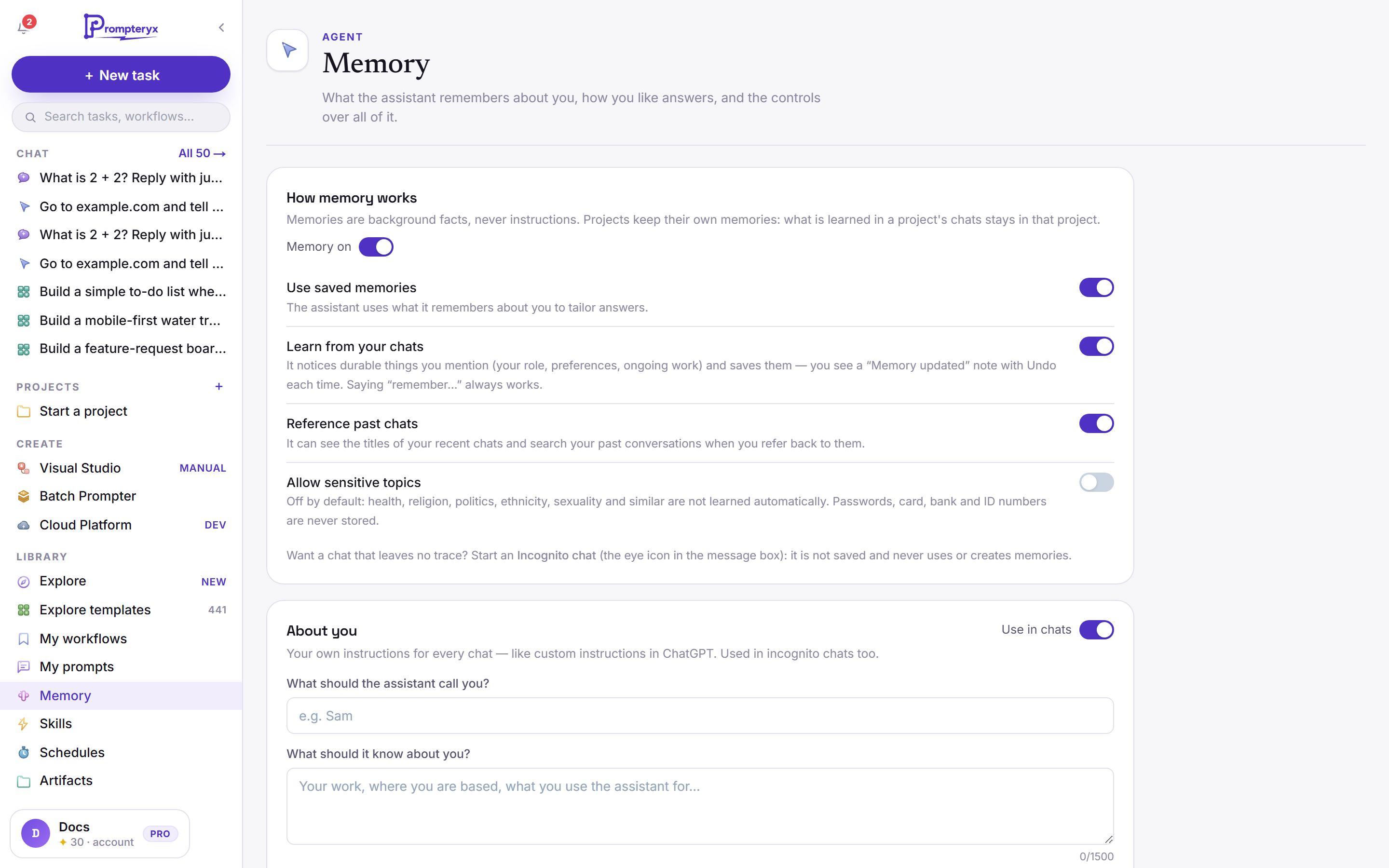
- Passwords, card, bank and ID numbers are never stored.
- Each saved memory can be edited, pinned (always used), kept but not used in chats, or deleted, and you can see its earlier wordings.
- Projects keep their own memories: what is learned in a project's chats stays in that project.
Memory in Settings
Settings → Memory puts the same controls in one place, with a few more:
- Search and reference chats, Generate memory from chats and Include sensitive topics in memory: the same switches as on the Memory page.
- Import memory from other AI providers: bring what ChatGPT, Claude or Gemini know about you. You get a prompt to paste there, paste its answer back, and choose what to keep.
- Export memory: download everything as a .zip of Markdown files.
- Everything it remembers, grouped (You, Topics, Areas and Projects). Open a group to see or delete single memories.
- Tell Prompteryx what to change, for example "I've moved to Leeds" or "forget that I use Windows". You see the changes it suggests and untick any you don't want before they are saved. This uses a few AI credits.
Your own instructions for every chat: what to call you, and what it should know about you (your work, where you are, what you use it for).
Turn Use in chats off to pause it. It is used in incognito chats too.
The eye icon in the message box starts an incognito chat: it isn't saved, and it never uses or creates memories.
To keep a chat but leave memory out of it, turn memory off for that chat from the message box instead.
Skills
A skill is a set of reusable instructions, such as how you like meeting notes or code reviews done. The assistant applies a skill automatically when a request matches it, or when you type its name with a slash, such as /meeting-notes. You can also pick one with the lightning icon in the message box.
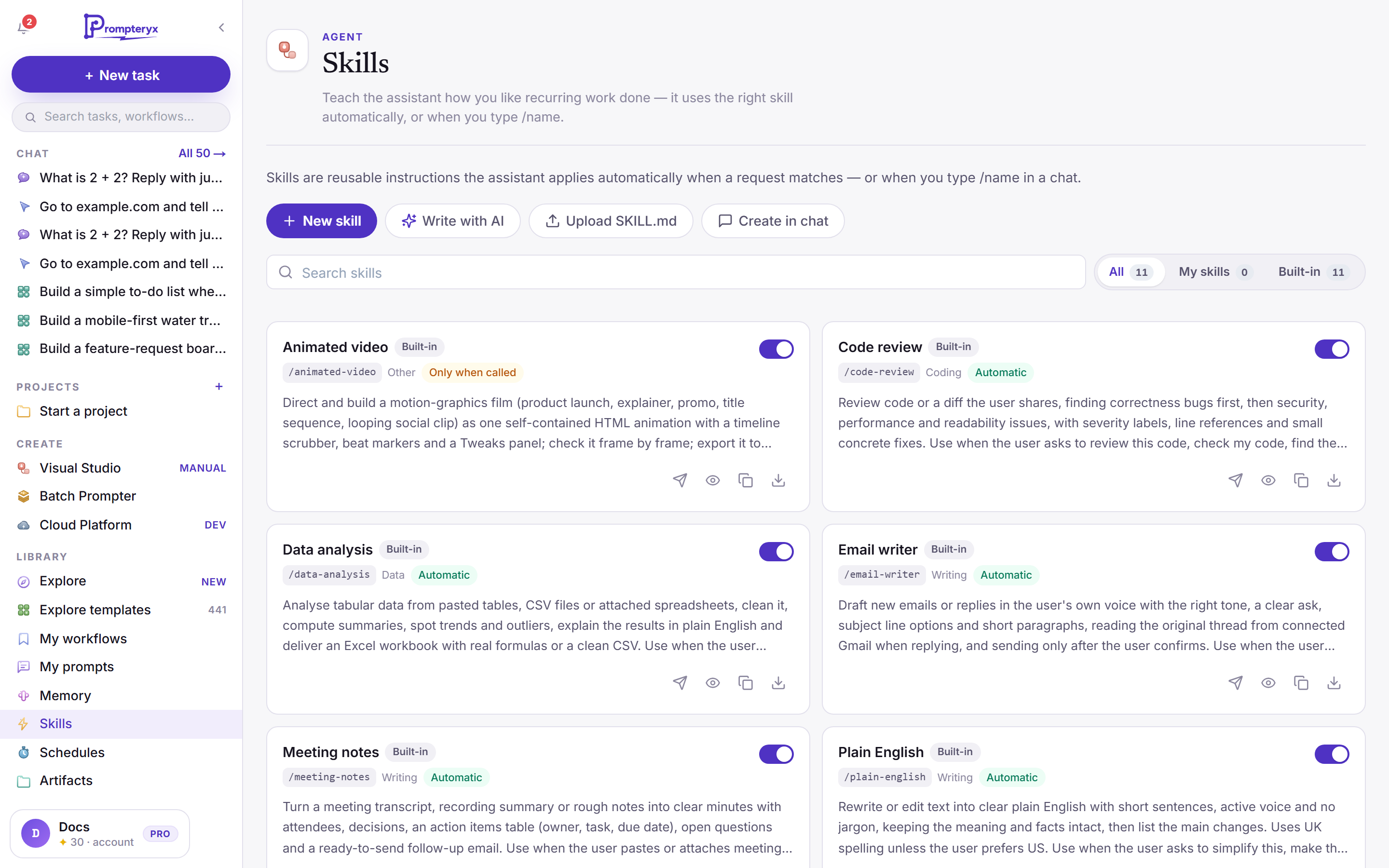
- New skill: write it yourself.
- Write with AI: describe it and let the assistant draft it.
- Upload SKILL.md: bring a skill file you already have.
- Create in chat: build it in a conversation.
Built-in skills (for example Code review, Data analysis, Email writer and Meeting notes) are ready to use. Switch any skill off with its toggle.
Automatic skills apply when a request matches; Only when called skills wait for /name.
Open Skills from your account menu for the page above. Settings → Skills is a directory: Yours lists the skills you made or switched on, Discover lists ready-made ones to add. Search them, filter by category, press Try to use one in a new chat, or Add to make your own.
Discover holds skills written by Prompteryx and open-source skills made for Claude: from Anthropic (Apache 2.0 licence) and from Alireza Rezvani's claude-skills (MIT licence), such as copywriting, CFO and CEO advisors, pricing strategy and weekly review.
Open-source skills are used as their authors wrote them, with a short note added so they work with Prompteryx's tools. Each card says who wrote it and under which licence, and its details link to the original.
A skill only appears once it has passed a test run on the real assistant. Beta means part of it could not be tested, for example because it needs your own email. Skills that need things Prompteryx chats don't have, such as a terminal or your own code repository, are not included.
The personal agent has its own memory and identity file, separate from these.