AI Browser Overview
Control browsers with natural language and automatically record actions for Visual Studio
What is the AI Browser?
The AI Browser Agent lets you control a web browser — our Cloud Browser or your own Chrome — using natural language. Simply tell it what you want to do, and it will perform the actions for you. Every action is automatically recorded and can be turned into a Visual Studio workflow for reuse.
Example: Instead of manually clicking buttons and filling forms, just say "Go to example.com, fill in the search box with 'automation', and click the search button"
Uses computer-use AI models — our Prompteryx models (built on Google Gemini), plus Claude and GPT options — to understand your instructions and control the browser, finding elements and performing actions automatically.
Watch the browser in real-time as the AI performs actions. The live view beside the chat shows exactly what's happening in the browser.
Every action the AI performs is automatically recorded with the selectors it captured, ready to be opened in Visual Studio as a reusable workflow.
Interact naturally with the AI through chat. Give instructions, ask questions, and refine actions through simple conversation.
How It Works
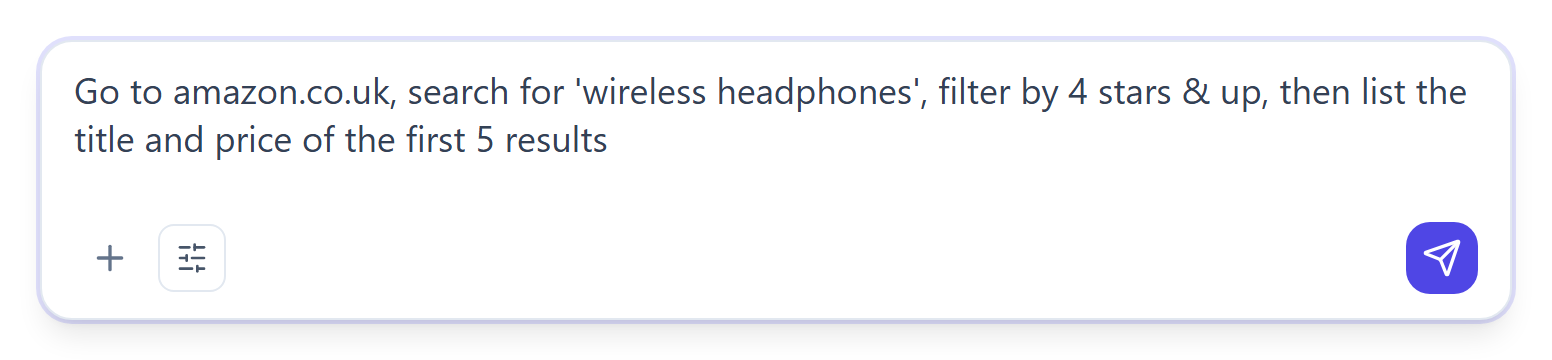
In the app, press AI Browser Agent under the message box, or just ask for something that needs a website. Once you send a task, the chat sits beside a live view of the browser.
Type what you want the browser to do in plain English:
- "Navigate to amazon.com"
- "Search for wireless headphones"
- "Click the first product"
- "Extract the price and product name"
- "Fill the contact form with my email"
The AI analyzes the page, identifies the elements, and performs the requested actions. You'll see the browser responding in real-time through the live view.
When you're done, click "Refine in Visual Studio" in the chat's status bar (or "Open in Visual Studio" on the run's "All done" card) to turn the recorded actions into a workflow that can be edited, scheduled, or run again.
Key Features
The AI uses visual recognition to identify page elements:
- Finds buttons, forms, and links automatically
- Handles dynamic content and single-page applications
- Adapts to different page layouts
- Captures selectors for recorded actions
Chain multiple commands together to create complex automations. The AI remembers context from previous actions and can continue multi-step workflows naturally.
You: "Go to booking.com"
AI: Navigated to booking.com
You: "Search for hotels in Paris"
AI: Filled search box and clicked search
You: "Click on the first hotel"
AI: Clicked first search result
When recording actions, the agent keeps a ranked list of selector options for each element:
- Playwright locators (getByRole, getByText)
- CSS selectors
- Fallback between the options for reliability
This ensures your recorded automations work reliably even if the website changes slightly.
The AI Browser uses a tuned viewport and coordinate denormalization to ensure clicks land exactly where intended, regardless of your screen resolution or Chrome zoom level.
Use Cases
Quickly create automation prototypes by describing what you want. Perfect for testing ideas before building full workflows.
Record multi-page workflows with branching logic. The AI handles navigation, form filling, and data extraction automatically.
Test website functionality by giving natural language commands. Watch the AI interact with your site to verify everything works.
Use the AI to navigate and extract data from multiple pages — switch the run to structured JSON output to get the data back in a machine-readable shape.
Getting Started
Launch Agent
Start using the AI Browser Agent now
- Cloud Browser runs: nothing to install — just sign in
- Runs in your own Chrome: Prompteryx Desktop installed, running and signed in
- Runs in your own Chrome: Prompteryx in Chrome added