Authentication & API Keys
Create and use API keys to authenticate with all Prompteryx developer interfaces
Creating an API Key
- Go to Cloud Platform → APIs & Webhooks → API Keys
- Click Create key, give it a name and choose when it expires. Under What this key can use, untick any area the key doesn't need (workflows, executions, browser, integrations, profile, chat, media, apps, explore). All are ticked by default; a key gets
403 INSUFFICIENT_SCOPEoutside its areas (see the REST API scopes) - Copy your key immediately — it will only be shown once
px_live_*
Production keys — full access to execute and manage workflows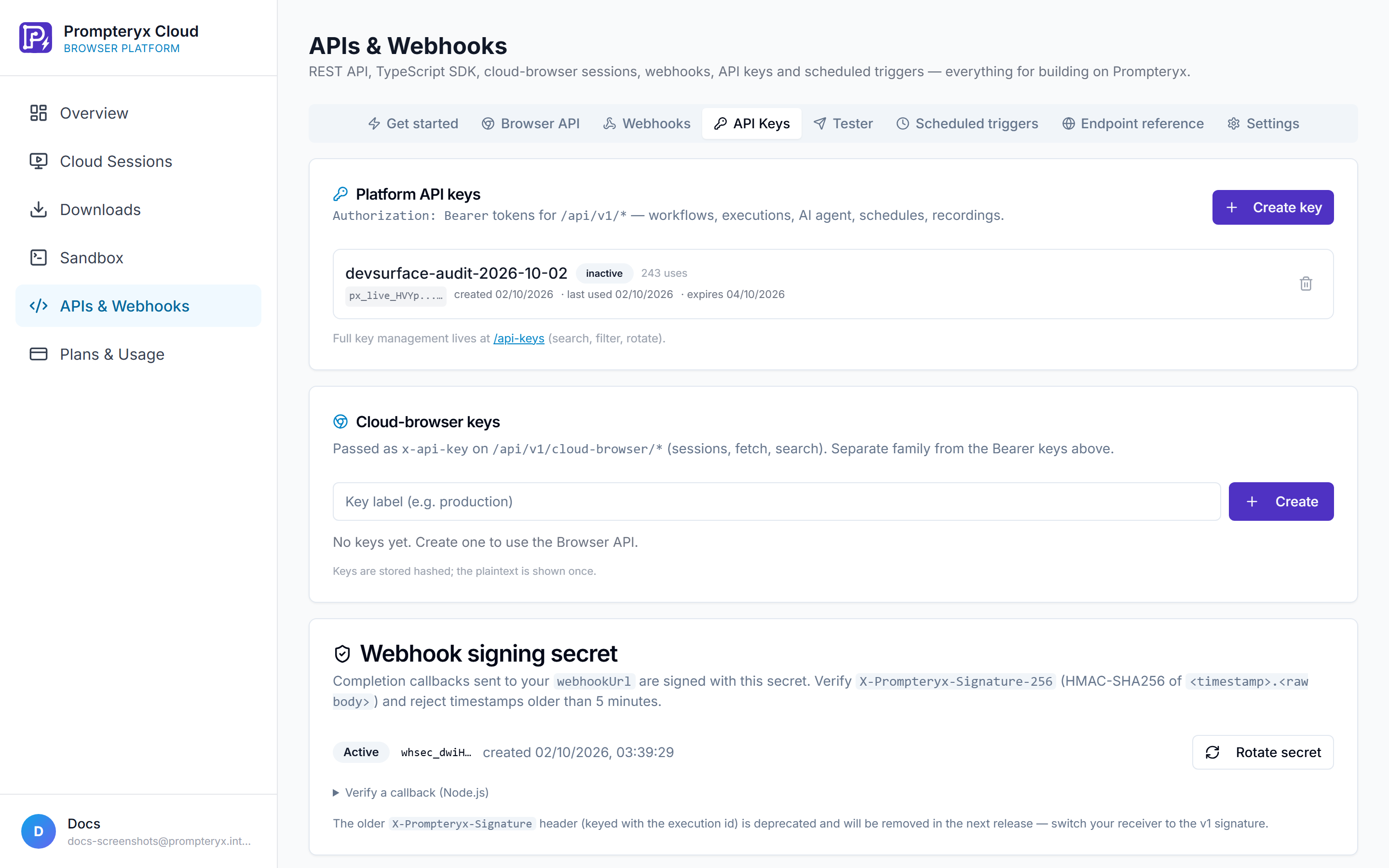
Using Your API Key
Your API key works across all Prompteryx developer interfaces. Choose the method that matches your use case:
Recommended for REST API calls
Authorization: Bearer px_live_YOUR_API_KEYRate Limits
API Rate Limits
- • 60 requests per minute
- • 10,000 requests per day
Every response carries X-RateLimit-Limit-Minute, X-RateLimit-Remaining-Minute, X-RateLimit-Limit-Day and X-RateLimit-Remaining-Day. Over the limit the API answers 429 RATE_LIMIT_EXCEEDED with a Retry-After header in seconds.
Subscription Limits Also Apply
API and MCP usage draws on the same allowances as the app: workflow runs, cloud browser minutes, AI credits and Connect Hub calls. When one runs out the API says which (
QUOTA_EXHAUSTED or QUOTA_EXCEEDED, see the error table). Top-ups are used once the plan allowance is spent.Usage Tiers
API, SDK, CLI and MCP usage comes out of your plan's allowances:
| Included | Free Trial | Starter | Developer | Pro | Enterprise |
|---|---|---|---|---|---|
| Price / month | $0 | $20 | $20 | $45 | Custom |
| AI credits / month | 50 | 500 | 100 | 1,500 | 1,500 |
| Cloud browser minutes / month | 10 | 6,000 | 12,000 | 15,000 | 1,200 |
| Workflow runs / month | 1,500 | 3,000 | 3,000 | 12,000 | 12,000 |
| Connect Hub calls / month | — | 100 | — | 300 | 20,000 |
| Residential proxy data | — | 100 MB | 1,024 MB | 250 MB | 500 MB |
| Video recording | — | Yes | Yes | Yes | Yes |
Billed monthly. Full comparison on the pricing page.
Security Best Practices
- • Never commit API keys to version control. Use environment variables or a secrets manager.
- • Rotate keys regularly, and at once if you suspect one has leaked: Rotate next to a key on the API Keys tab creates a replacement with the same name, permissions and lifetime, shows it once, and revokes the old key. Search and the status filter help you find a key.
- • Use separate keys for different environments or applications so you can revoke them independently.
- • Verify webhook signatures: create a signing secret (
whsec_…) on the API Keys page and checkX-Prompteryx-Signature-256on every completion callback. See Webhooks. - • Sign in instead of pasting keys where you can: the CLI and MCP clients support OAuth (
prompteryx login), with tokens that expire after an hour and refresh automatically.