Prompteryx Cloud Browser
Real Chrome browsers in our cloud, driven from your code over CDP — recordable, proxy-capable, and metered to your plan. Or skip the session entirely with managed Fetch and Search.
Overview
A cloud browser is a full Chromium instance on our infrastructure. Create a session, get a WebSocket connectUrl, and connect Playwright (or any CDP client) — like a local browser, but headless, scalable, and observable. Three ways to use it:
- Sessions API / SDK — full control: create a session, drive it with Playwright.
- Fetch / Search — managed: we run a short session and return page content or search results.
- No-code — build visually in Visual Studio or describe a task to the AI Browser Agent.
Authentication
Create a Cloud Browser API key (pcb_live_…) in Cloud Platform → APIs & Webhooks → API Keys. Pass it on every request as x-api-key (or Authorization: Bearer <key>). Keys are shown once and stored hashed; treat them like passwords and rotate by creating a new one + revoking the old.
x-api-key: pcb_live_xxxxxxxxxxxxxxxxThe connectUrl we return is scoped with a short-lived, single-session token — so it's safe to pass to a browser/iframe; it can't create or touch other sessions and expires.
Quickstart
@prompteryx/cloud-browser package shown below is not published yet. Today you have two live options: install the published @prompteryx/sdk (npm install @prompteryx/sdk) and use its px.cloudBrowser.* namespace — px.cloudBrowser.sessions.create() returns a connectUrl you pass to chromium.connectOverCDP() — or the raw HTTP + Playwright approach also shown on this page. The PrompteryxCloud snippets document the dedicated package for when it ships.With the dedicated Cloud Browser SDK (see the note above):
import { PrompteryxCloud } from "@prompteryx/cloud-browser";
const pc = new PrompteryxCloud({ apiKey: process.env.PROMPTERYX_API_KEY! });

const browser = await pc.connect({ recordSession: true }); // create + connect
const page = await browser.newPage();
await page.goto("https://example.com");
console.log(await page.title());
await browser.close();                                       // closes the cloud session too
Or raw HTTP + Playwright:
import { chromium } from "playwright-core";
const res = await fetch("https://www.prompteryx.ai/api/v1/cloud-browser/sessions", {
  method: "POST",
  headers: { "x-api-key": process.env.PROMPTERYX_API_KEY!, "Content-Type": "application/json" },
  body: JSON.stringify({ recordSession: true }),
});
const { connectUrl } = await res.json();
const browser = await chromium.connectOverCDP(connectUrl);
// ... drive it ...
await browser.close();
SDK
The dedicated @prompteryx/cloud-browser package is not on npm yet — the install below will 404 until it ships. For a published client today, use @prompteryx/sdk (npm install @prompteryx/sdk) and its px.cloudBrowser.* namespace.
npm i @prompteryx/cloud-browser playwright-coreThe SDK is a thin, dependency-free wrapper over the REST API.
const pc = new PrompteryxCloud({ apiKey });

await pc.sessions.create(opts)     // -> { id, connectUrl, liveURL, status, startedAt }
await pc.sessions.list(limit?)     // -> { sessions: [...] }
await pc.sessions.retrieve(id)     // -> session summary
await pc.sessions.close(id)        // -> { ok: true }
await pc.connect(opts)             // create + connectOverCDP, returns a Playwright Browser
await pc.fetch(url, opts)          // -> { title, content, ... }
await pc.search(query, opts)       // -> { results: [{ title, url, snippet }] }
Sessions API
Create — POST /api/v1/cloud-browser/sessions
| Field | Type | Description |
|---|---|---|
| viewport | {width,height} | Browser viewport. Default 1280×800. |
| recordSession | boolean | Record an MP4 of the run. Default false. |
| persistContext | boolean | Save + restore cookies/logins across sessions (your Default Cloud Profile). Default false — sessions are ephemeral. |
| profileId | string | Use a named cloud profile's saved state. Implies persistContext. |
| proxy | boolean | Route through a proxy. |
| proxyFallback | boolean | If you are over your proxy data allowance, start without the proxy instead of failing with 429. |
| country | string | Proxy geolocation, ISO code (US, GB, …). |
| sessionTimeoutMinutes | number | Session lifetime in minutes (1–360), capped at the minutes you have left. Without it, sessions end after 50 minutes. |
| extensions | string[] | Chrome extensions to load (headed). |
| captureDownloads | boolean | Capture file downloads for later retrieval. |
{ "id": "pcb_...", "connectUrl": "wss://cb.prompteryx.ai/...?token=...",
  "liveURL": "https://cb.prompteryx.ai/...?token=...", "status": "active", "startedAt": "2026-..." }
List — GET /api/v1/cloud-browser/sessions?limit=50
Your recent sessions (newest first): id, status, provider, startedAt, endedAt, durationMs, region, hasRecording.
Retrieve — GET /api/v1/cloud-browser/sessions/:id
Close — DELETE /api/v1/cloud-browser/sessions/:id
Closing finalizes the recording and stops billing. Sessions also end automatically when their session timeout is reached. Retrieve and close return 404 for a session that isn't yours.
Connecting
The connectUrl is a standard CDP WebSocket — use any CDP client.
import os, requests
from playwright.sync_api import sync_playwright
res = requests.post("https://www.prompteryx.ai/api/v1/cloud-browser/sessions",
    headers={"x-api-key": os.environ["PROMPTERYX_API_KEY"]}, json={"recordSession": True})
connect_url = res.json()["connectUrl"]
with sync_playwright() as p:
    browser = p.chromium.connect_over_cdp(connect_url)
    page = browser.contexts[0].pages[0]
    page.goto("https://example.com"); print(page.title())
    browser.close()
Fetch
POST /api/v1/cloud-browser/fetch — load a page in a real browser and return its content, with no session to manage. Token-efficient (returns readable text/markdown by default), and JS-rendered pages work.
| Field | Type | Description |
|---|---|---|
| url | string (required) | The http(s) URL to load. |
| format | text|markdown|html|links | Output. Default text. |
| waitUntil | string | load | domcontentloaded | networkidle | commit. Default domcontentloaded. |
| timeoutMs | number | Cap (5000–60000). Default 30000. |
| waitForSelector | string | After load, wait until this CSS selector exists (for JS-rendered content). |
| waitMs | number | Extra settle time after load / selector (max 10000). |
| selectors | string[] | Up to 10 CSS selectors to extract: match count plus text and HTML of the first matches. |
| screenshot | boolean | Also return a base64 JPEG of the viewport. |
| proxy / country | boolean / string | Route through a proxy (geo). |
| proxyFallback | boolean | Over your proxy allowance, run without the proxy instead of failing with 429. |
curl -X POST https://www.prompteryx.ai/api/v1/cloud-browser/fetch \
  -H "x-api-key: $PROMPTERYX_API_KEY" -H "Content-Type: application/json" \
  -d '{"url":"https://news.ycombinator.com","format":"markdown"}'
// -> { "url", "finalUrl", "title", "status": "ok", "content": "# ..." }
Search
POST /api/v1/cloud-browser/search — run a web search in a real browser and get structured results. Great for agents needing fresh web data without parsing a SERP. Body: query (required), limit (1–25, default 10), and optional proxy / country.
curl -X POST https://www.prompteryx.ai/api/v1/cloud-browser/search \
  -H "x-api-key: $PROMPTERYX_API_KEY" -H "Content-Type: application/json" \
  -d '{"query":"playwright cloud browser","limit":5}'
// -> { "query", "results": [{ "title", "url", "snippet" }] }
Recording
recordSession: true captures a real MP4 of the rendered browser (not a DOM replay), uploaded on close (or finalized when a workflow finishes). Replay it from Cloud Platform → Cloud Sessions; the session's hasRecording field (list / retrieve) tells you whether a recording exists.
Live view
Every session has a liveURL — an interactive viewer (screencast + mouse/keyboard) you can embed or open. It shows a tab strip and follows newly-opened tabs, so multi-tab automations are fully visible. The URL carries a session-scoped token, so it's safe to embed.
Proxies
Set proxy: true + country to route through a residential/datacenter proxy in that region. Proxy bandwidth is measured per session and counts against your plan's proxy-data allowance. When the allowance is used up (the free trial has none), proxied requests return 429 PROXY_LIMIT_EXCEEDED unless you pass proxyFallback: true.
Persistent contexts
With persistContext: true, cookies/localStorage/logins are saved and restored next session — log in once, stay logged in. Pass profileId to use one of your named cloud profiles instead of the Default Cloud Profile; it's the same saved state Visual Studio and the AI Browser Agent use for that profile. With neither field, the session is ephemeral. Contexts are scoped to your account.
Downloads
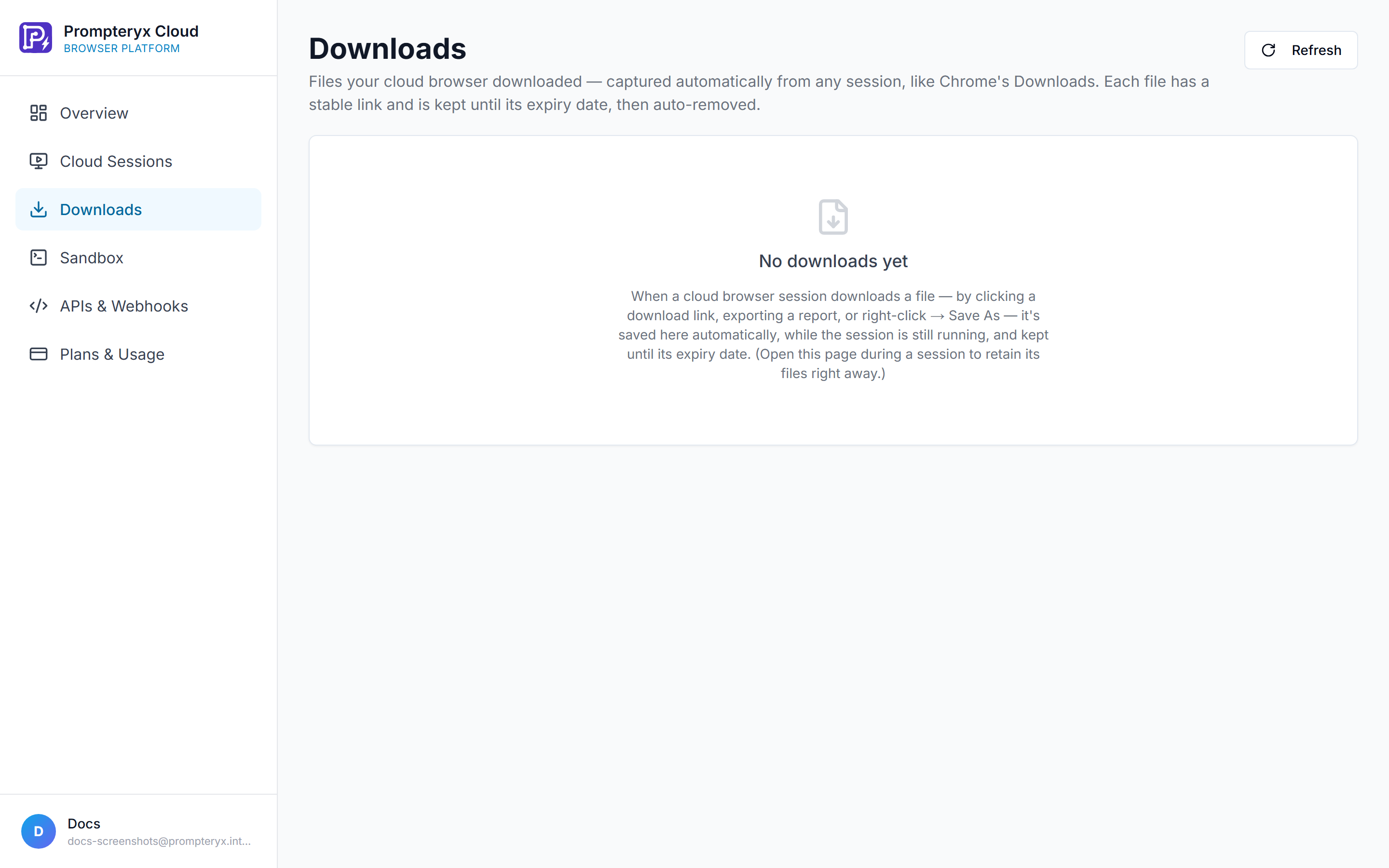
With captureDownloads: true, downloaded files are captured server-side and retrievable after the run via signed URLs. Useful for reports, invoices, exports.
Extensions
Load unpacked Chrome extensions with extensions: [...] (headed). For ad-blockers, custom tooling, auth helpers.
CAPTCHA solving
Through partnerships with CAPTCHA-solving providers, Prompteryx Cloud Browser can resolve challenges automatically so your sessions continue without interruption. Auto-solve is on by default for cloud sessions started from the Prompteryx app (for example Visual Studio runs and opening a cloud profile); turn it off under Settings → Cloud Browser → Auto-solve CAPTCHAs. Solves count against your plan's monthly CAPTCHA allowance plus any top-up balance. Sessions created through the Sessions API above don't turn auto-solve on today.
How it works
- The runtime polls the page every ~2 seconds for supported CAPTCHA widgets: reCAPTCHA v2, hCaptcha, and Cloudflare Turnstile.
- When one is detected, the sitekey is sent to the 2Captcha-compatible solver service we operate — you don't need your own solver account.
- The returned token is injected into the page's response field (e.g.
#g-recaptcha-response) and any registered grecaptcha callbacks are invoked. - Solving typically takes 15–60 seconds on 2Captcha (human-in-loop), 3–10 seconds on AI-only solvers like Capsolver.
- What you DON'T see: the visible "I'm not a robot" checkbox inside Google's iframe doesn't change colour — the iframe's visual state is controlled internally and can't be reached from outside. The token in the hidden response field IS valid; submit the form and the server will accept it.
- Capped at 5 auto-solves per session, and never more than what's left of your monthly CAPTCHA allowance plus top-up balance.
Listening for solve events
In sessions where auto-solve is on, when a CAPTCHA is detected and solved the runtime emits console.log events inside the page so your automation can await them with page.on('console', …) — no need to poll a status endpoint.
// Playwright example
const browser = await chromium.connectOverCDP(session.connectUrl)
const page = browser.contexts()[0].pages()[0]

page.on('console', msg => {
  const text = msg.text()
  if (text.includes('solving captcha')) console.log('→ CAPTCHA detected, solving…')
  if (text.includes('captcha solved')) console.log('→ CAPTCHA solved, safe to submit form')
})

await page.goto('https://example.com/protected-form')
// … fill the form …
// Wait for the 'captcha solved' event before clicking Submit:
await page.waitForEvent('console', msg => msg.text().includes('captcha solved'))
await page.click('button[type="submit"]')
Limitations
- Non-standard / proprietary CAPTCHAs (image-and-text custom widgets) aren't auto-detected.
- Cloudflare's full Bot Fight Mode (different from Turnstile) uses behavioural fingerprinting we don't solve directly — pair with the residential proxy (
proxy: true) for better success rates. - The cooldown after a successful solve is 15 minutes per (sitekey, URL) — if you need to re-solve the same CAPTCHA on the same page within that window (e.g. token expired), navigate away and back.
Stealth
Sessions apply fingerprint hardening by default (consistent platform + UA, realistic plugins/WebGL, native-function masking) to reduce automated-traffic detection.
Errors
| Field | Type | Description |
|---|---|---|
| 401 | Unauthorized | Missing/invalid API key. |
| 400 | Bad request | Invalid params (e.g. missing url). |
| 404 | Not found | Session id unknown or not owned by your key. |
| 429 | QUOTA_EXCEEDED / PROXY_LIMIT_EXCEEDED | Out of monthly minutes, at the concurrency cap, or out of proxy data (see proxyFallback). Too many session starts in a short window also return 429. |
| 503 | CLOUD_NOT_CONFIGURED / QUOTA_UNAVAILABLE | Cloud browser not enabled for this account, or usage could not be checked — safe to retry. |
| 500 | Server error | Session/operation failed — safe to retry. |
Errors return { "error": "...", "code"?: "..." }.
Plans & limits
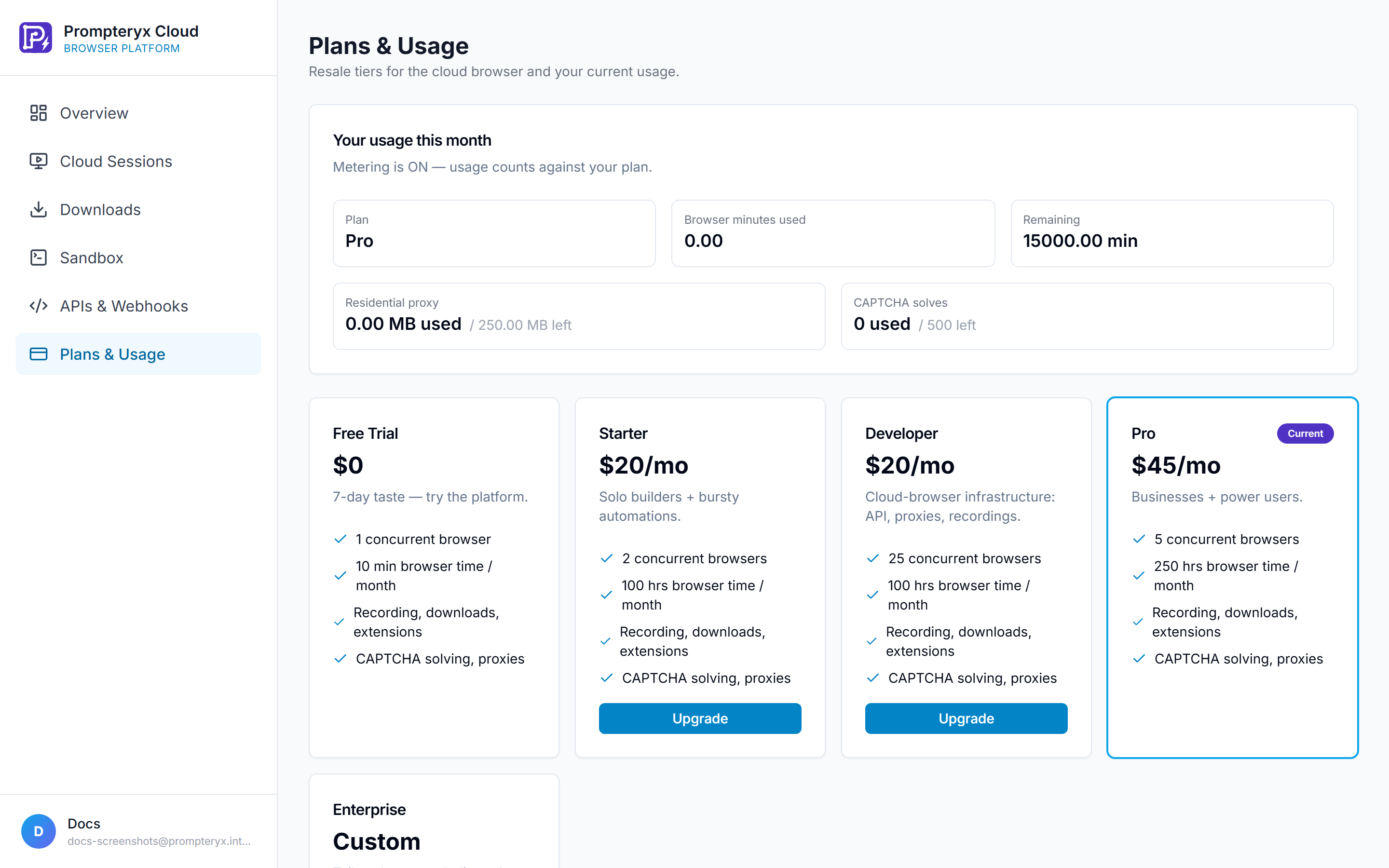
Each plan includes a monthly allowance of cloud-browser minutes and proxy data, plus a concurrency cap (simultaneous sessions). Usage is tracked live in Cloud Platform → Plans & Usage and your dashboard. When you run out, new sessions return 429 until the next period or an upgrade. Fetch/Search count as short sessions.
No-code
Prefer not to write code? Build automations visually in Visual Studio or describe a task to the AI Browser Agent — both run on the same cloud browser. Pick a cloud profile (for example the Default Cloud Profile) from the Cloud Profiles section of the browser-profile dropdown.
FAQ
Which automation frameworks work?
Anything that speaks CDP — Playwright (recommended), Puppeteer, or raw CDP. We hand you a standard connectUrl.
Do I need my own proxies?
No — set proxy: true and we route through ours.
How is a "minute" counted?
Wall-clock session lifetime, rounded up, minimum 1 minute — same as Fetch/Search (short sessions).
Is it production-ready?
Sessions run on our own cloud-browser fleet behind a TLS endpoint.