Schedule Trigger
Trigger NodeRun workflows automatically at specified times or intervals
Overview
The Schedule Trigger starts your workflow automatically at configured times. Pick a quick preset (like "Daily at 9:00 AM"), or choose Custom schedule... for an interval, a daily, weekly or monthly time, a one-off run, or a cron expression.
Activation Required
quickScheduleQuick Schedule preset: every 5/15/30 minutes, every 1/2/4 hours, daily (9 AM, 6 PM, midnight), weekdays, weekends, every Monday, the 1st or 15th of the month — or "Custom schedule..."
Daily at 9:00 AMcustomTypeSchedule Type when Custom is chosen: Repeating Interval, Daily, Weekly, Monthly, Run Once, or Advanced (cron expression)
interval, daily, weekly, monthly, once, cronintervalValue / intervalUnitRepeating Interval: run every N minutes or hours (Run Every 1–60, Unit Minutes or Hours)
30 minutesdailyTime / weeklyDays / monthlyDayDaily, Weekly and Monthly: the time to run, the days of the week, or the day of the month (1–31)
09:00, Mon–Fri, 1onceDate / onceTimeRun Once: the date (YYYY-MM-DD) and time to run, or an optional day of the week to run on its next occurrence
2026-12-01, 18:00cronExpressionAdvanced: a standard 5-field cron expression
0 9 * * 1-5 (9am weekdays)timezoneTimezone the schedule follows. Auto-detect uses your browser's timezone when you activate or save the workflow.
Auto-detect (your browser timezone)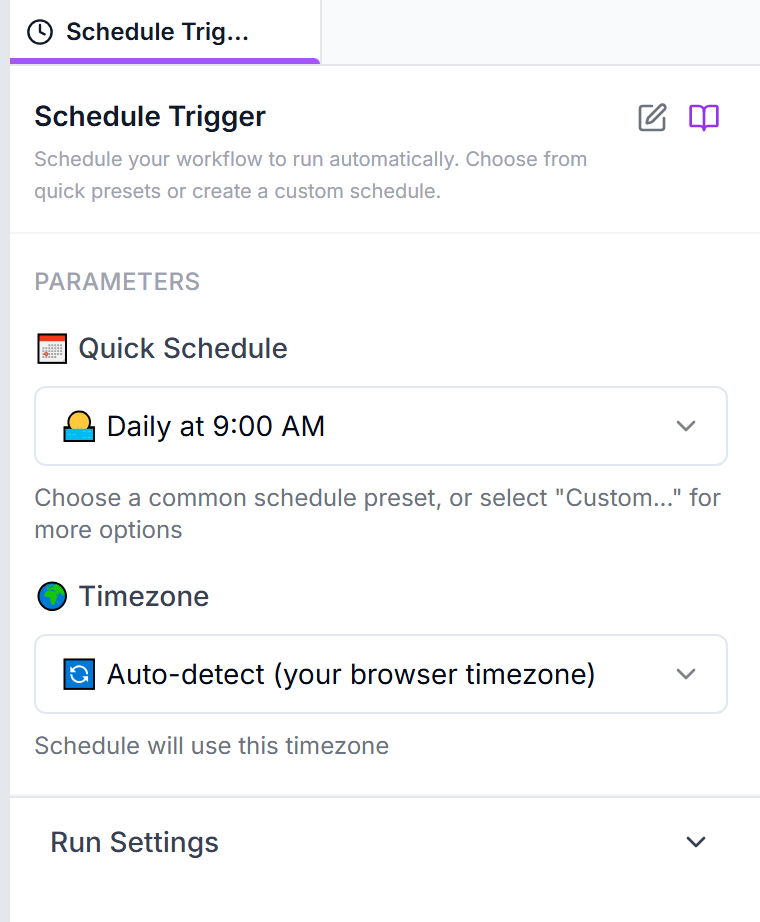
Schedule Types
Recurring schedules can run at most every 5 minutes — a faster schedule is not accepted. A Run Once time must be in the future. After activating, check that the schedule appears on the Schedules page.
Cron Expressions
Cron expressions provide precise control over scheduling. Format:
┌───────────── minute (0 - 59) │ ┌───────────── hour (0 - 23) │ │ ┌───────────── day of month (1 - 31) │ │ │ ┌───────────── month (1 - 12) │ │ │ │ ┌───────────── day of week (0 - 6, Sun=0) │ │ │ │ │ * * * * *Ranges (1-5), lists (1,15), steps (*/15) and names (MON, JAN) are supported, and 7 also means Sunday. The expression is evaluated in the trigger's timezone.
Common Examples:
0 9 * * *Every day at 9:00 AM0 9 * * 1-5Weekdays at 9:00 AM0 */2 * * *Every 2 hours30 8 1 * *1st of month at 8:30 AM0 0 * * 0Every Sunday at midnight*/15 * * * *Every 15 minutesUsage Examples
0 9 * * *0 2 * * 0