Getting Started with AI Browser Agent
Quick StartStart your first AI-powered browser automation session
Prerequisites
Cloud Browser — nothing to install
Runs on our Cloud Browser need only your account. If your own Chrome isn't connected, the agent uses the Cloud Browser automatically.
Your own Chrome (optional): Prompteryx Desktop + Prompteryx in Chrome
To run in your own Chrome profiles, install the desktop app, sign in to it, and add the Prompteryx in Chrome. Picking a Chrome profile while they aren't connected opens a short setup guide.Download and install.
AI Credits
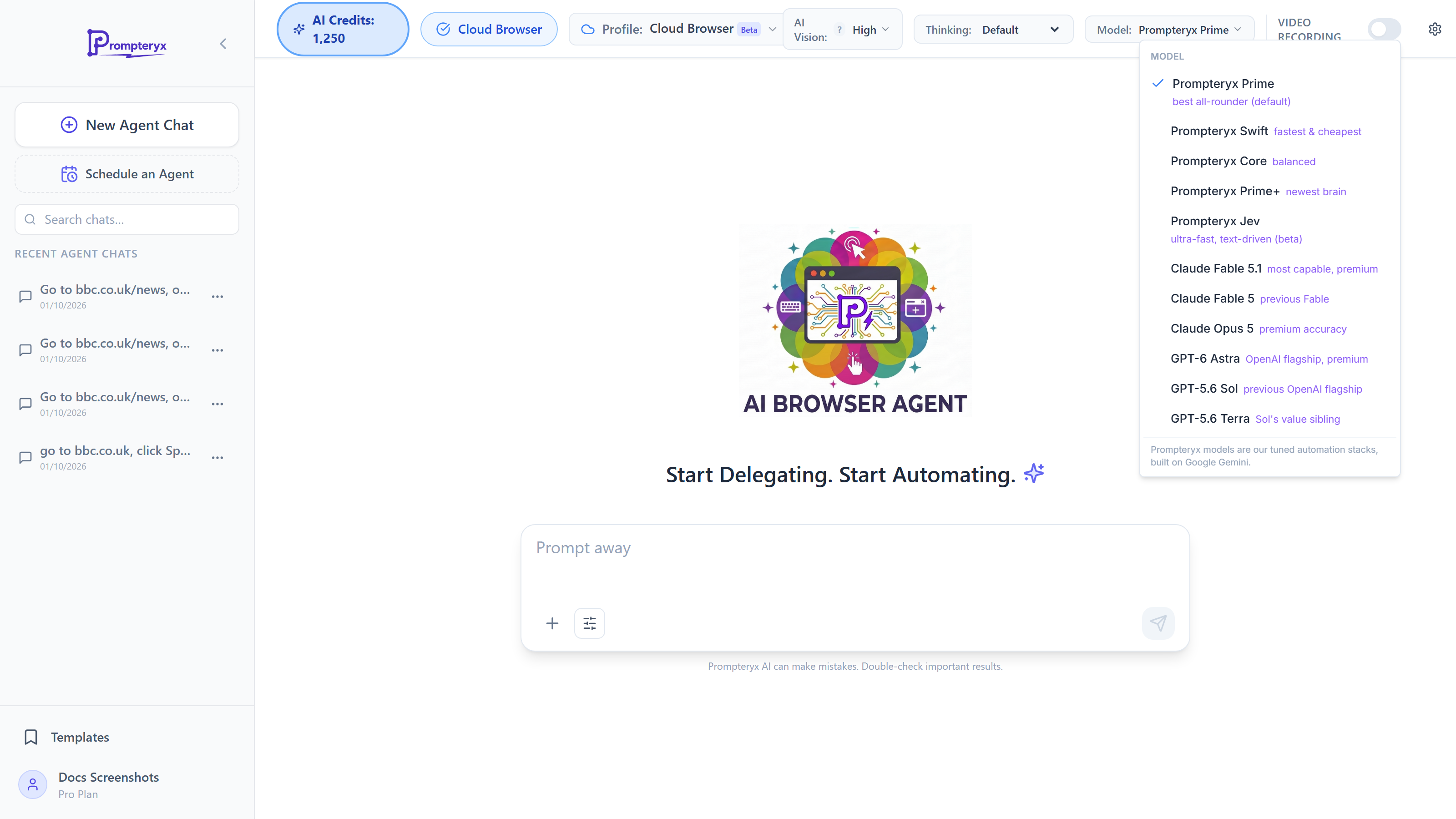
The AI Browser Agent uses AI credits for each action. Your balance shows in the "AI Credits" pill in the page header.
Your First AI Browser Session
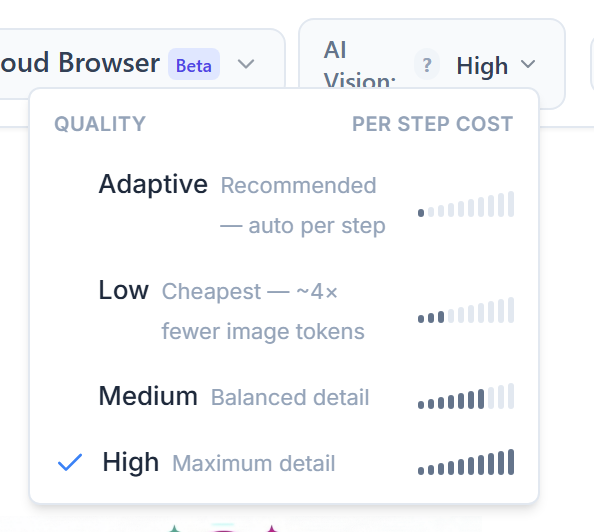
/AI-browser-agent. The header shows a "Cloud Browser" badge when the agent will run in the cloud. With a Chrome profile selected, it shows the connection status instead — "Connected" confirms both Prompteryx in Chrome and Desktop app are working.Select the AI Vision quality preset from the dropdown in the header (or per run in Run settings). Higher-quality presets give better accuracy on pages with small elements but cost a little more per step.
- Prompteryx models (Prime, Swift, Core, Prime+) - Adaptive, Low, Medium or High
- Other models - Adaptive, plus nine presets from Ultra Saver (cheapest) to Max Precision (sharpest)
Pick a browser profile from the profile selector in the header: a Cloud Profile (the Cloud Browser) or one of your Chrome Profiles (needs the desktop app). Profiles allow you to use different logins, cookies, and browser settings for different automations.
Learn about Chrome Profiles →Type a natural language instruction in the input box. Be specific about what you want the agent to do.
Example prompts:
- "Go to amazon.com and search for 'wireless headphones'"
- "Navigate to linkedin.com and extract the first 5 job postings for 'software engineer'"
- "Open gmail.com and compose a new email to test@example.com"
Session Controls
Pro Tips
- Start with simple, clear instructions before adding complexity
- Use the Prompteryx in Chrome sidebar's "Current Tab" mode to automate on a page you've already navigated to
- Enable video recording (paid plans) to get a full visual trail of the session
- Check the chat's AI CREDITS counter in the header to monitor credit usage